Mac Doctor Mobile

Your device care trail, wherever you are.

Useful iPhone and iPad health stands on its own. Pair with Mac Doctor Pro to add trusted Mac summaries, reports, alerts, insights, and owner-approved remote requests.

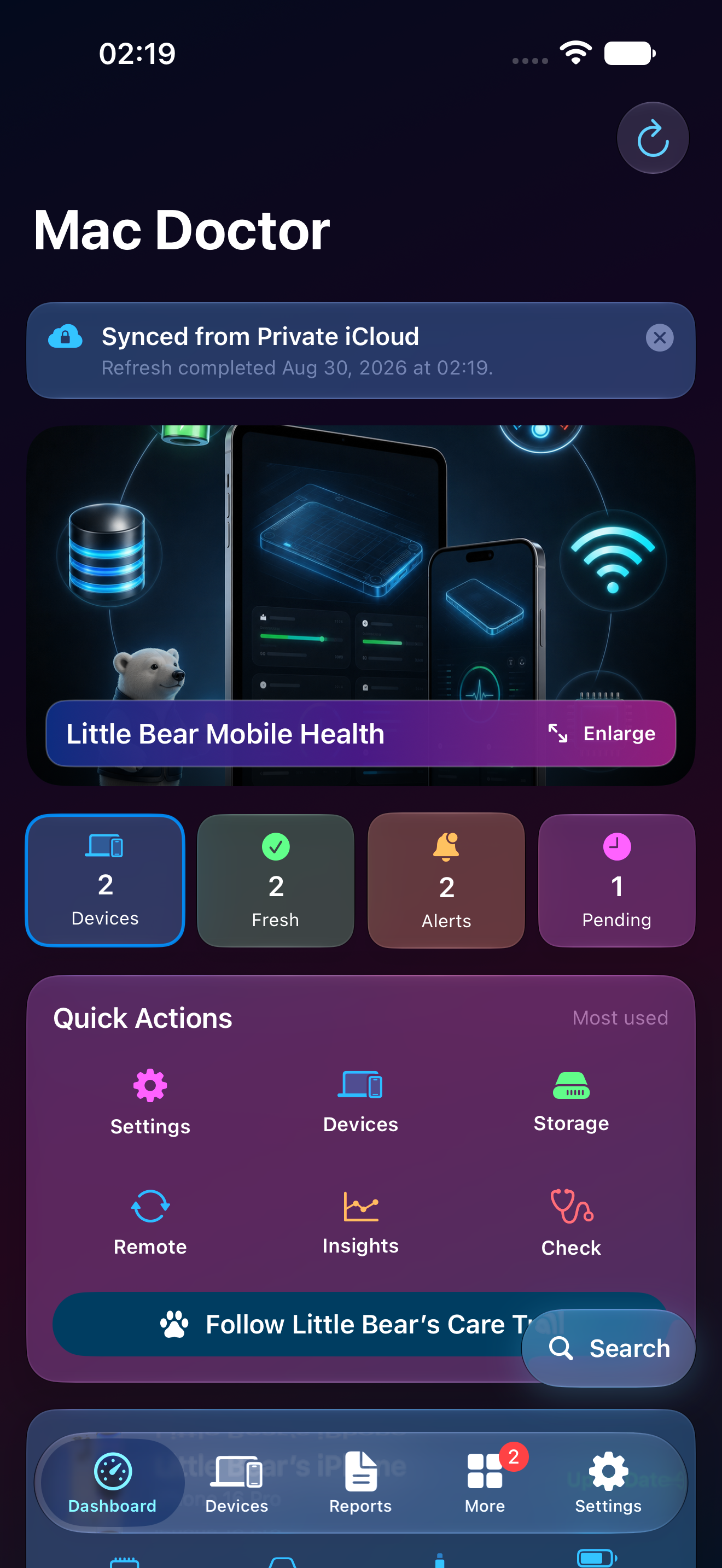
Mac Doctor Mobile Dashboard using fictional Little Bear data with device, fresh, alert, and pending summaries
Real private-preview capture · fictional Little Bear data
Standalone mobile carePrivate linked-device summariesOwner-approved remote requests

Built for iPhone and iPad

More than a smaller Mac app.

Mobile focuses on what matters away from the desk: current-device checks, a trusted device network, alerts, glanceable progress, comparison, and secure requests back to a Mac.

This device

Battery, thermal, storage, selected Files, Photos aggregates, and manual network checks within iOS limits.

Private device network

Freshness-aware summaries for authorized Macs, iPhones, and iPads synchronized through private iCloud.

Care on the move

Alerts, reports, Timeline, Compare, Insights, widgets, and Little Bear guidance stay close at hand.
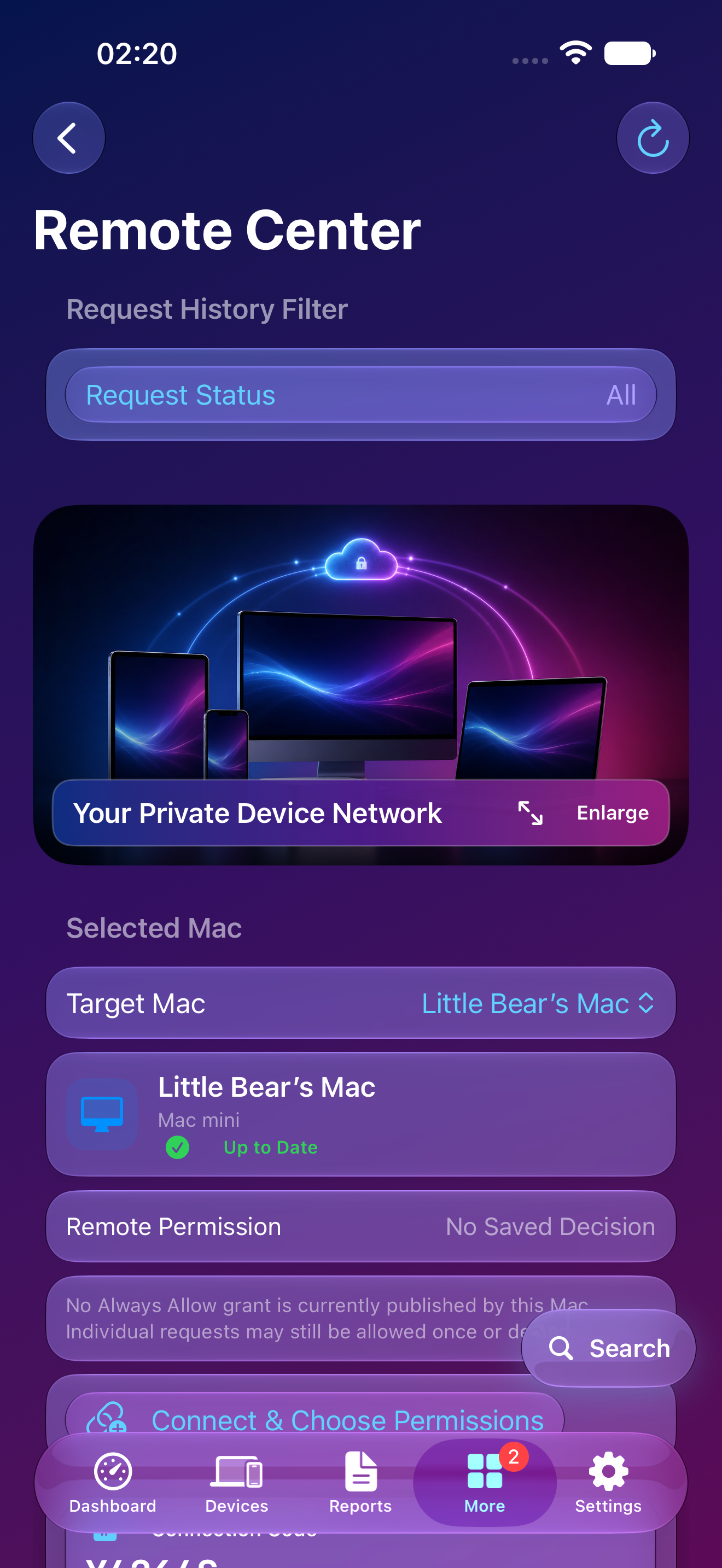
Mac Doctor Mobile Remote Center using fictional Little Bear Mac data

Remote Center

Ask the Mac. Keep the Mac in control.

Mobile can submit supported health and report requests to an authorized Mac. Every request names its target and state; the Mac decides Allow Once, Always Allow, or Deny.

Visible target and freshnessFilterable request historyCancellation and terminal statesNo cleanup, quarantine, hidden screen control, or lock bypass

A mobile app that feels like yours

Customization across every screen.

The chosen visual language continues through Dashboard, Devices, Reports, Remote, Insights, Settings, and the rest of the adaptive navigation.
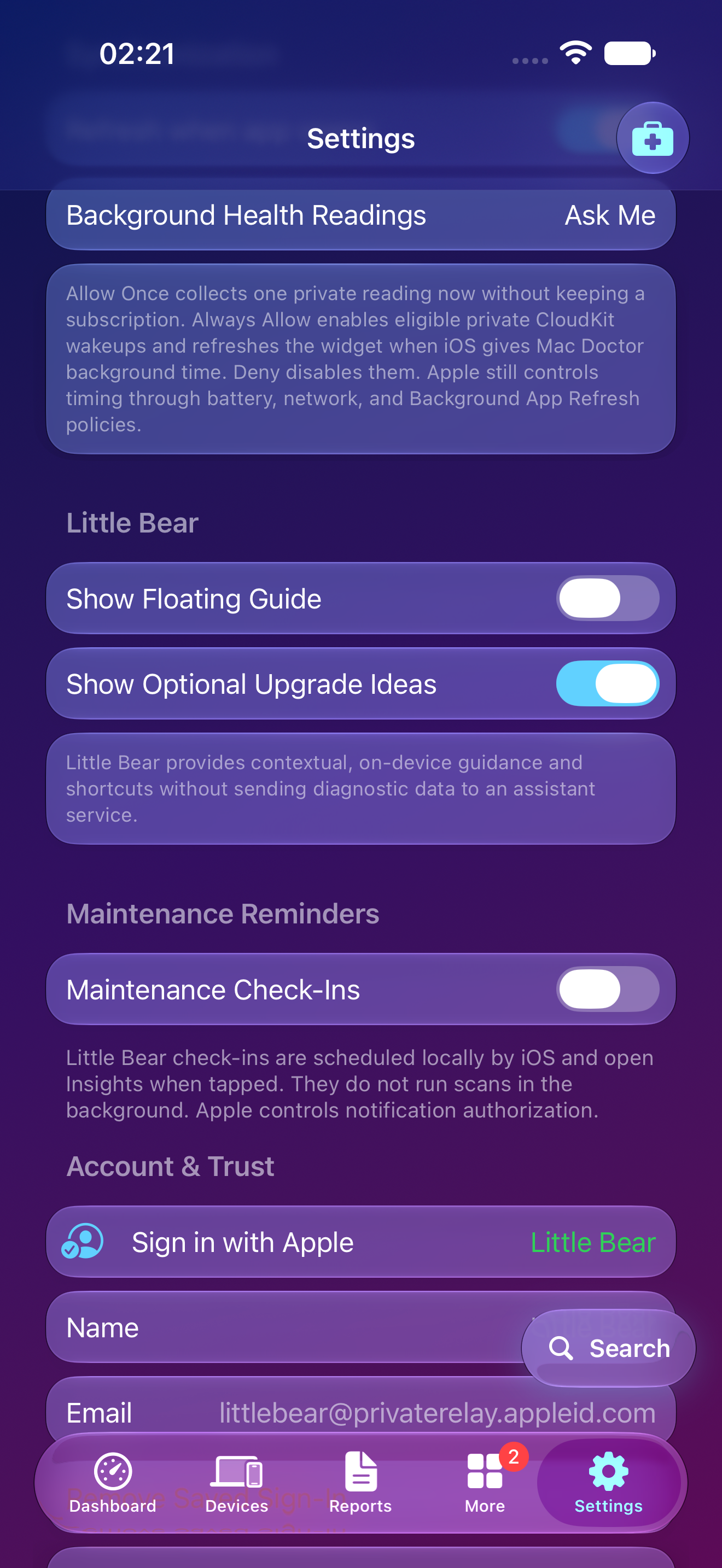
Mac Doctor Mobile Settings using fictional Little Bear data and a themed Ocean appearance
01

Themes & appearance

System, Light, Dark, and branded palettes with continuous themed backgrounds.

02

Information cards

Adaptive, Liquid Glass, Colorful, or Solid surfaces with readable contrast.

03

Quick Actions

Choose the six Dashboard destinations that fit the way you use the app.

04

Personal preferences

Alternate icons, information level, Little Bear, motion, reminders, and notifications.

Golden appearance

Metallic detail rendered for the screen in your hand.

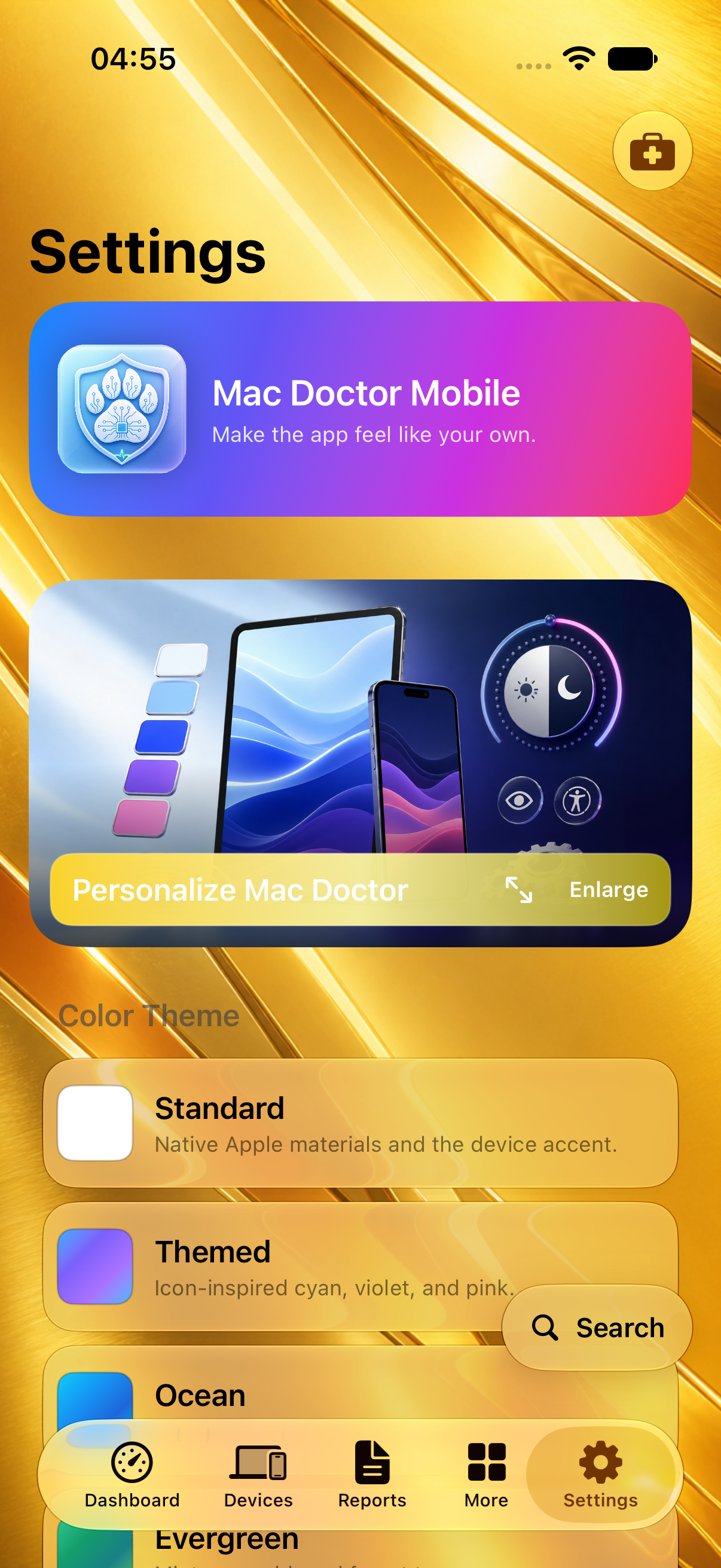
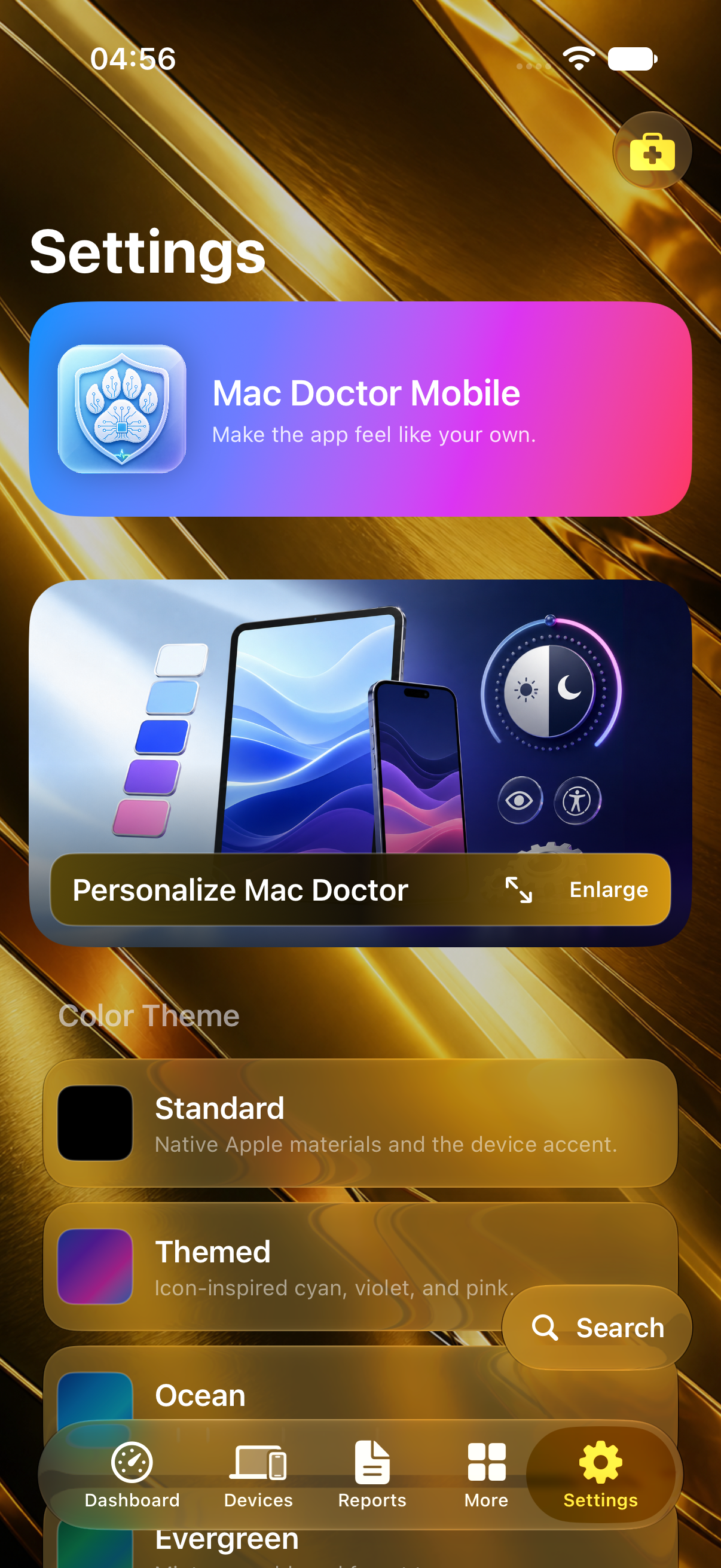
Light and Dark use separate artwork for iPhone and iPad instead of enlarging a desktop image. Matching alternate icons keep the polished gold, engraved shield, and multicolor diagonal accent crisp at home-screen size.


Mac Doctor Golden Light alternate app icon
Golden Light
Mac Doctor Golden Dark alternate app icon
Golden Dark
Mac Doctor Mobile Settings in Golden Light with a detailed bright metallic background
Bright polished gold
Mac Doctor Mobile Settings in Golden Dark with a detailed antique metallic background
Deep antique gold

Current development capabilities

Every verified mobile workspace, individually explained.

This catalog includes capabilities from the newer physical-device development review. The status card above identifies which build is public, internal-only, or device-review-only; the catalog keeps iOS limits and unfinished production services visible.

01

Mobile Dashboard

Fresh device summaries, alerts, pending work, and configurable Quick Actions.

  • Clickable status cards
  • Private iCloud freshness
  • Six shortcuts chosen by the owner
02

My Devices

Trusted Macs, iPhones, and iPads presented with consistent, comparable cards.

  • Friendly identity and model context
  • Battery, storage, thermal, and freshness where available
  • Confirmation-gated removal
03

Mobile Check

An owner-started health snapshot using the readings iPhone and iPad make available.

  • Capacity, storage, thermal, and battery context
  • Active network-interface evidence
  • Two small HTTPS availability samples; full path, latency, upload, and download testing stays in Network
04

Mobile Storage

The closest truthful storage breakdown the iOS sandbox permits.

  • Device capacity and available space
  • Owner-selected Files locations
  • Privacy-safe Photos aggregates and coverage
05

Reports

Carry health history and privacy-filtered evidence with the device it describes.

  • Device-aware report cards
  • Read All, persistent read state, and previous/next paging in the newer development review
  • Individual sharing and removal controls
06

Alerts

Important events route to the device and detail that can explain them.

  • Affected device and evidence age
  • Read All plus individual read and removal controls
  • Actionable destinations
07

Care

Prioritized recommendations for this device and linked Macs.

  • Plain-language reason and impact
  • Correct device named for every action
  • Eight focused care guides plus limitation education
08

Toolkit & Check

Useful Apple-device diagnostics collected in one mobile workspace.

  • Platform-appropriate checks
  • Network and connection tools
  • Truthful unavailable states for protected readings
09

Timeline

Meaningful health events over time, labeled by device and freshness.

  • Checks, reports, alerts, and remote activity
  • Filterable history
  • No stale event presented as a live reading
10

Compare

Equivalent evidence aligned across trusted devices.

  • Care, storage, security, and freshness context
  • Compatible metrics only
  • Clear explanations when devices expose different evidence
11

Insights

Turn synchronized evidence into patterns and Little Bear’s Care Trail.

  • 7-day, 30-day, 90-day, and all-time views
  • Reports, warnings, freshness, and check completion
  • Tap-through to the supporting records
12

Remote Center

Ask a trusted Mac to run supported checks without creating hidden access.

  • Allow Once, Always Allow, or Deny on the Mac
  • Queued, running, completed, failed, and cancelled states
  • Target, freshness, saved permission, filters, and stop controls
13

Search

A persistent global search for visible workspaces, devices, reports, and care concepts.

  • Destination-aware results
  • Device context preserved
  • Available from every main area
14

Widget & Live Activity

Glanceable progress and status that stay bounded by current app evidence.

  • Choose the device and Overview, Performance, Battery & Power, Storage, or Connection view per widget
  • Add multiple independently configured widgets and deep-link back into the app
  • Widget refresh remains system-scheduled; Live Activity is the higher-frequency foreground-check view
15

Mac Doctor TV Controller

Join a private TV game through visible local pairing instead of becoming an invisible extra remote.

  • Guest or Apple identity, matching six-digit approval, and one encrypted expiring phone session
  • Directional pad, touch surface, and left-, right-, or center-handed layouts
  • Simultaneous real two-phone acceptance and reconnect timing remain physical test gates
16

Learning, Support & Little Bear

Friendly explanations and help without sending diagnostic data to an assistant service.

  • Contextual on-device guidance
  • Care education and support paths
  • Floating guide can be shown or hidden
17

Private iCloud & account controls

Sync authorized summaries while keeping local features useful without an account.

  • Private CloudKit device records
  • Visible Sign in with Apple and removal controls
  • No owner account required for the fictional Sample Mac walkthrough
18

Settings & background choices

Control appearance, reminders, permissions, updates, and information density.

  • Ask Me, Allow Once, Always Allow, or Deny where applicable
  • Daily-by-default schedule can be changed
  • Accessibility, notification, Little Bear, and privacy controls

Healthy or ready for care

Status that explains itself.

Green means the available evidence is healthy. Amber and magenta identify something worth reviewing, with the reason and next step close by. Missing evidence stays neutral instead of becoming a false pass.
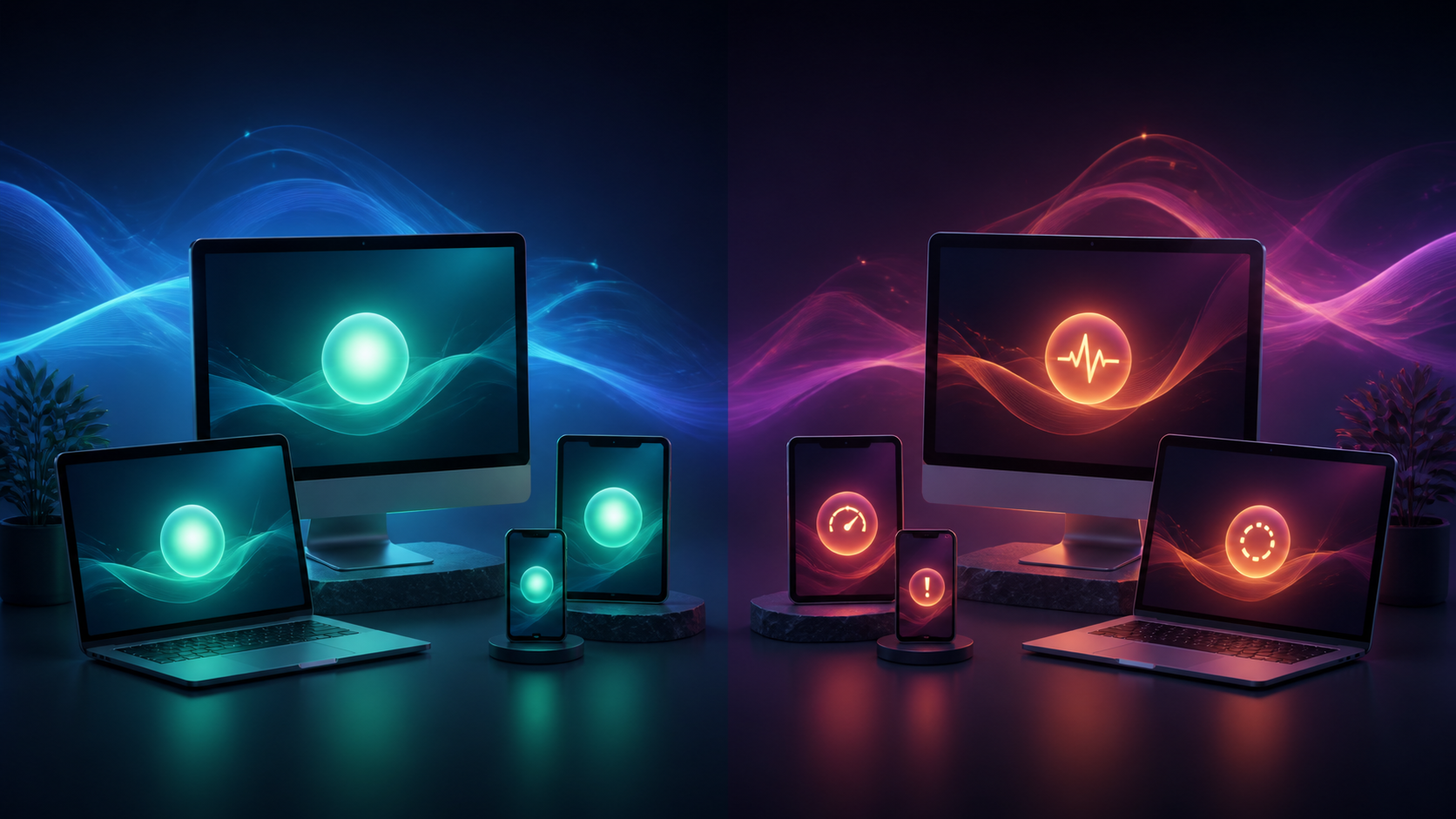
Illustration contrasting a calm healthy Apple-device household with devices that have routine care items
Illustrative household care states. Product readings come from the connected devices and remain labeled by freshness and availability.
✓

Healthy

Current evidence looks normal, protection and maintenance checks are understood, and no owner action is waiting.

!

Requires care

The app names the affected area, explains why it matters, and separates a safe owner action from developer or Apple setup.

Community on mobile

Your verified care can contribute without exposing your devices.

Mobile brings the personal readiness story, Community Goal, and future Game Center participation into the same private device network. Public contribution uses bounded aggregate progress—not names, serial numbers, reports, filenames, or private device readings.
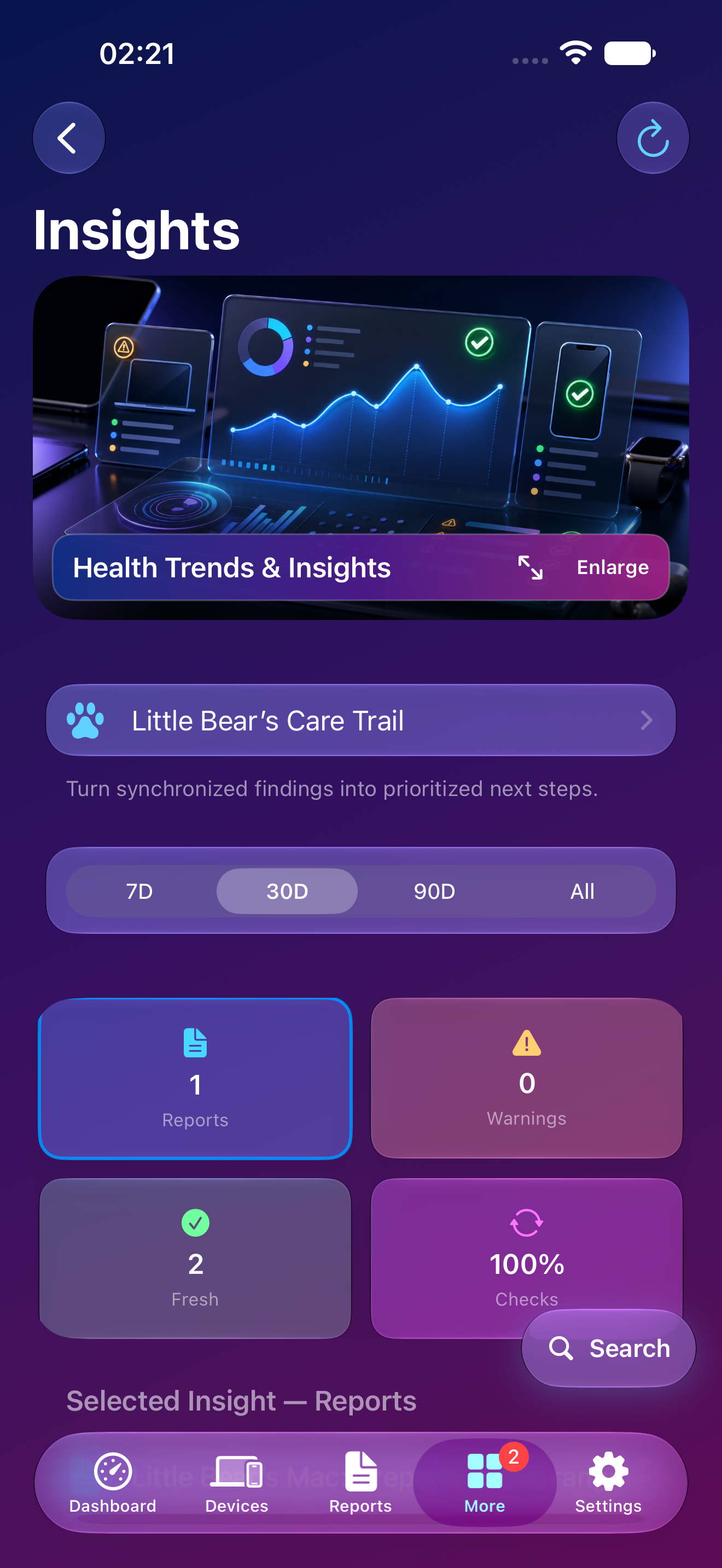
Mac Doctor Mobile Insights using fictional Little Bear data
What improves the score

Fresh verified checks, resolved care items, understood intentional settings, and completed healthy maintenance.

What never buys points

Payments, advertising, repeated busywork, unavailable sensors, or developer-owned setup.

Game Center plan

Mobile will synchronize eligible achievements and family-friendly competition while Mac and Mobile share the same scoring rules.

Planned · not active in current builds
Community Goal

Verified or safely cached public aggregate progress may appear. When trustworthy production data is unavailable, the section hides rather than showing a fake counter.

Start with the Mac

Pair mobile convenience with deeper Mac evidence.

Mac Doctor Pro owns the detailed Mac hardware, storage, performance, network, security, diagnostics, and local actions behind the companion summaries.

Explore Mac Doctor Pro