Appearance
System, Light, Dark, and branded theme families with coordinated startup artwork.

Mac Doctor Pro
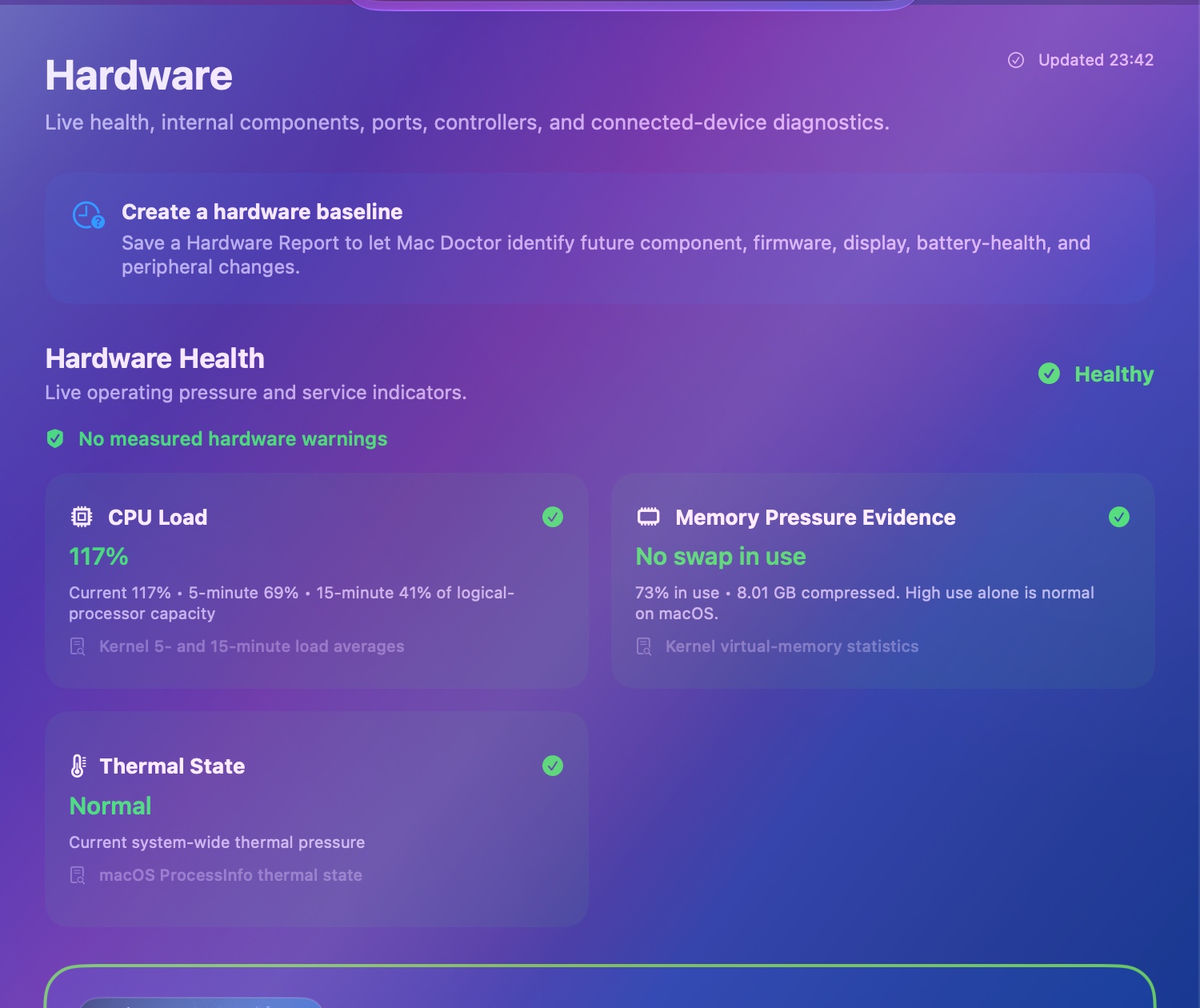
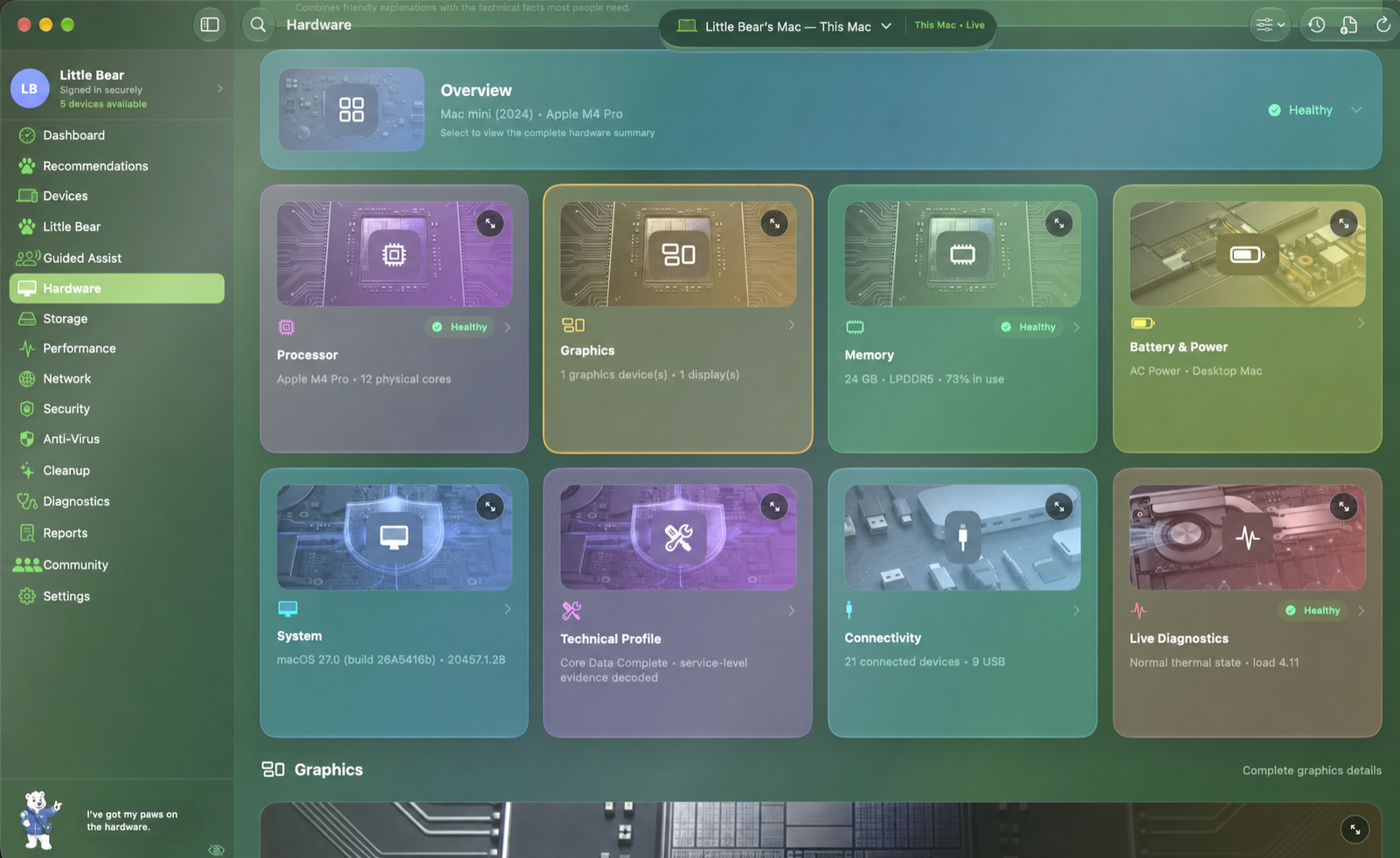
Mac Doctor Pro brings hardware, storage, performance, network, security, diagnostics, reports, and care guidance into one approachable workspace—then keeps the technical evidence ready when you want it.
How far it goes
Make it your Mac Doctor
Choose a look and level that feel comfortable while measurements, severity, and safety boundaries remain consistent.
System, Light, Dark, and branded theme families with coordinated startup artwork.
Adaptive, Liquid Glass, Colorful, or Solid surfaces, with transparency-reduction support.
Beginner, Balanced, or Technician explanations across the app.
Alternate app icons, Little Bear preferences, motion, contrast, and accessibility controls.
One visual language
The metallic palette changes the atmosphere and app icon while health meaning, measurements, permissions, and safety controls remain unchanged.


Shared build 1035 capabilities
This catalog intentionally excludes unfinished production capabilities and setup-only internals. It describes what the notarized build in the shared testing folder can truthfully show and do.
A calm command center for the Mac in front of you and the care trail around it.
A visual inventory that goes far beyond a model name.
Capacity from macOS, readable-file scan coverage, and the difference between them.
Processor, memory, disk, pressure, and thermal trends explained in context.
Active interfaces, connection details, and owner-started diagnostics in one workspace.
Understand the protections already built into macOS and what needs attention.
Review opportunities carefully before anything changes.
A broad check that never turns unsupported hardware into a fake failure.
Keep useful history in the app and export focused evidence when needed.
Trusted Mac, iPhone, and iPad summaries without pretending cached evidence is live.
Prioritized next steps that separate what matters now from what can wait.
A friendly guide for setup, interpretation, and the moments that feel technical.
Personal readiness and shared encouragement without making safety competitive.
Control appearance, information depth, reminders, privacy, and app behavior.
Newer internal review
This Apple Development-signed review is installed on the two review Macs but is not a public, uploaded, notarized, or shared distribution artifact. Native functional and visual acceptance remains open.
Saved scan profiles and owner-started Verify Improvement comparisons make it easier to repeat the same care check without claiming an automatic repair.
One-, five-, and fifteen-minute observation comparisons stay local and pair reported SMART and TRIM facts with their source and limits.
Selected and redacted support bundles can be reviewed before export, while opt-in daily summaries respect quiet hours. Nothing is uploaded automatically.
Healthy or ready for care
Green means the available evidence is healthy. Amber and magenta identify something worth reviewing, with the reason and next step close by. Missing evidence stays neutral instead of becoming a false pass.
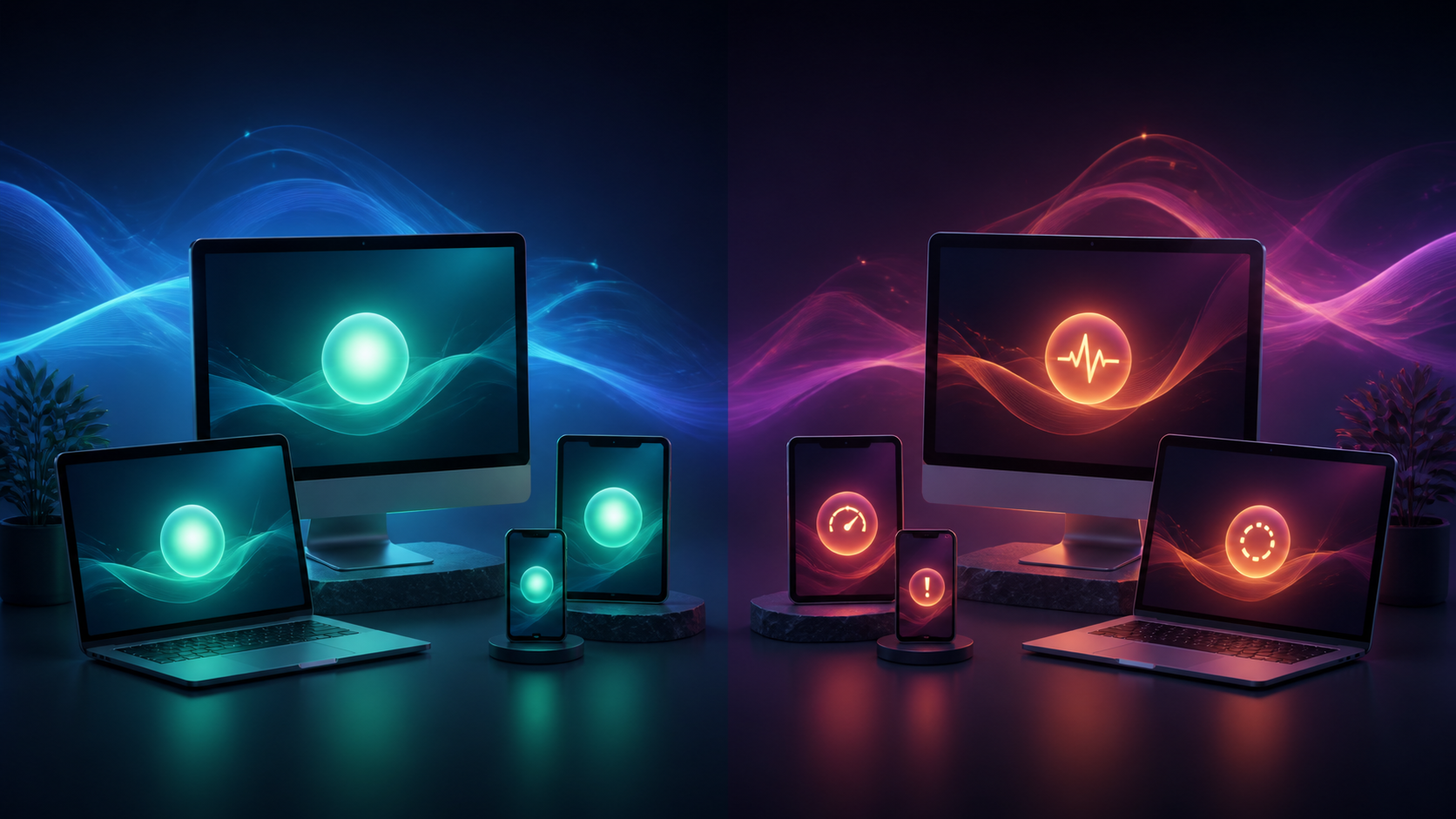
Current evidence looks normal, protection and maintenance checks are understood, and no owner action is waiting.
The app names the affected area, explains why it matters, and separates a safe owner action from developer or Apple setup.
Community & family-friendly progress
The current Community experience turns verified device care into an understandable readiness story. A future Game Center connection is planned to make healthy maintenance encouraging for families without turning security findings into shame or pay-to-win competition.
Keep evidence fresh, complete verified checks, resolve genuine attention items, and review intentional settings.
Unavailable readings stay neutral. Developer-owned setup and unsupported sensors do not reduce the customer score.
Planned achievements, recurring goals, and family-friendly leaderboards will count verified care—not spending, noisy activity, or sensitive device details.
Planned · not active in current buildsComplete the care loop
Mac Doctor Mobile adds private iCloud device summaries, mobile health, remote requests, alerts, reports, and family-friendly community participation.