Mac Doctor TV

Your household command center—plus a smarter family game night.

See private Mac Doctor summaries from the current Apple TV iCloud account, then turn everyday Apple-device care into approachable, competitive learning on the biggest screen in the room.

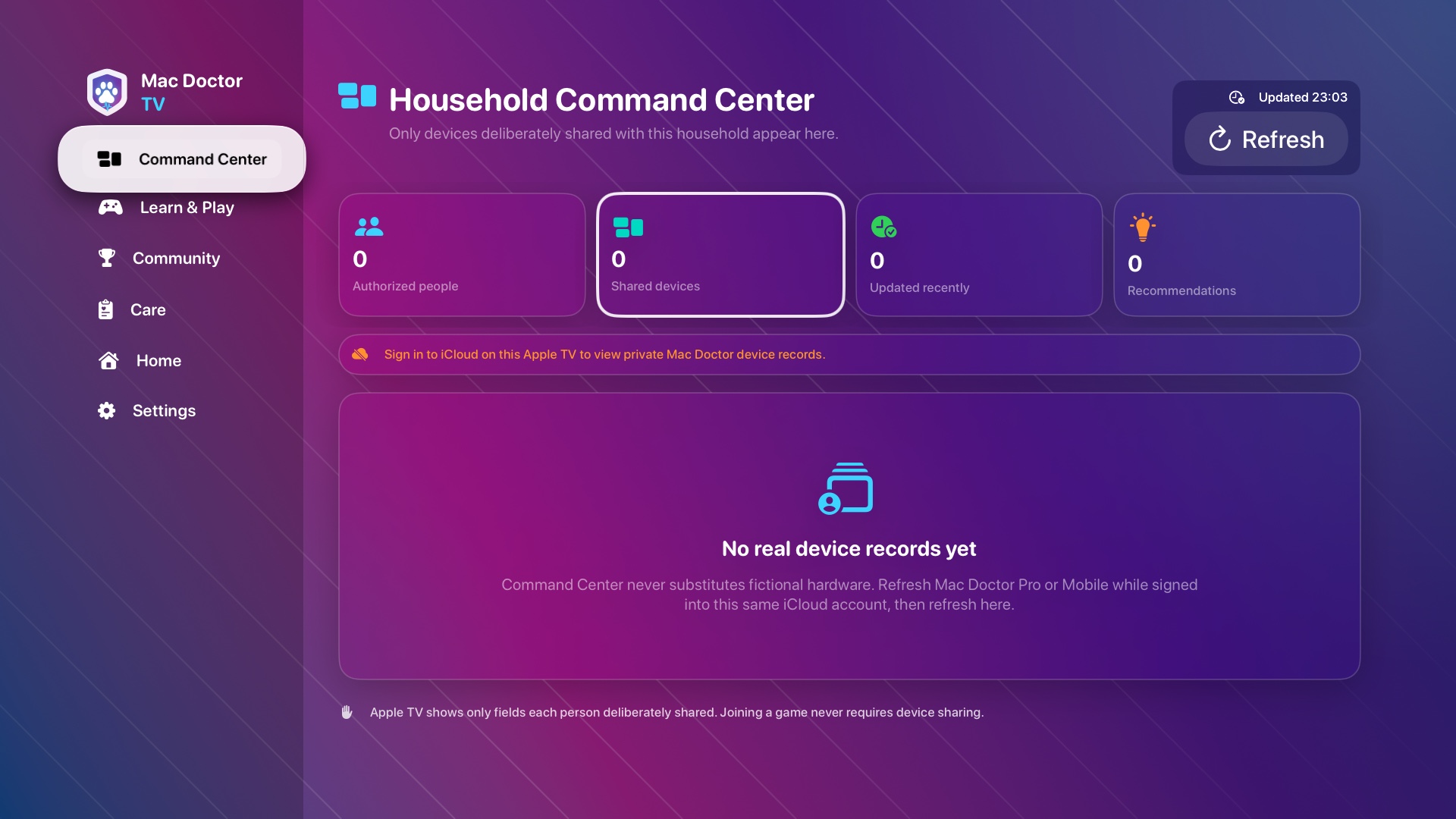
Mac Doctor TV release-mode empty state for the current iCloud account's private Mac Doctor records

Current release-mode capture · truthful empty private-account state

Current-account private records onlyGames work without device sharingNo hidden household control

One device, one name

The Apple TV keeps one identity everywhere.

Mac Doctor no longer creates a separate editable TV alias. Its private CloudKit record carries the same canonical tvOS identity to Mac, iPhone, and iPad.

Capability enabled, signing pending

Apple has enabled User Assigned Device Name for the shared Mobile and tvOS identifier. Replacement provisioning profiles have not yet been generated, downloaded, decoded, and verified in a new signed physical build.

Truthful fallback today

Current signed builds still display “Apple TV.” Mac Doctor does not guess, preserve an old nickname, or label another selected device “This Apple TV” while the profile and build evidence remains pending.

Private synchronization

Once entitlement-backed naming is verified, the published name will remain inside the current account's private Mac Doctor device record and follow that record across authorized app surfaces.

Household Command Center

A shared screen that respects every person behind it.

Mac Doctor TV begins empty and stays honest. It currently reads only the current Apple TV user's private Mac Doctor database. Family Sharing, nearby hardware, a player's Apple sign-in, and legacy household invitations never become device permission.

01

Current account only

This build reads only the current Apple TV user’s private Mac Doctor records. Cross-account household share creation and loading are temporarily disabled.

02

Evidence, not guesses

Unavailable, stale, or disconnected readings stay clearly labeled instead of becoming invented values.

03

Useful at a distance

Cards emphasize device identity, freshness, battery, storage, operating system, and care status when the source provides them. Exact hardware identifiers can also add reviewed model, processor, and introduction-year facts; unknown identifiers remain unknown.

04

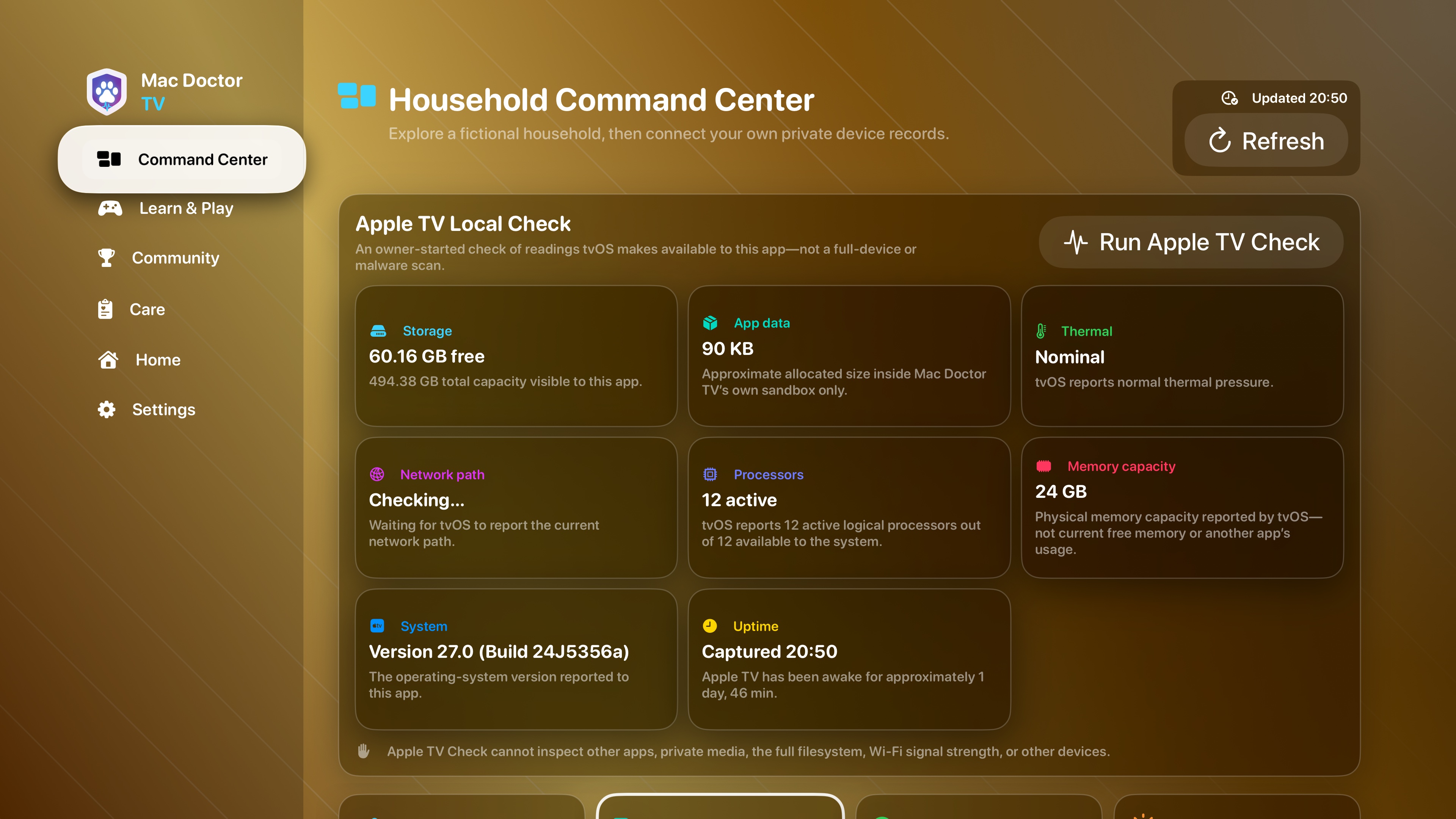
Apple TV Local Check

An owner-started check reports tvOS-visible storage, app data, thermal pressure, network path, processors, physical memory capacity, system version, and uptime.

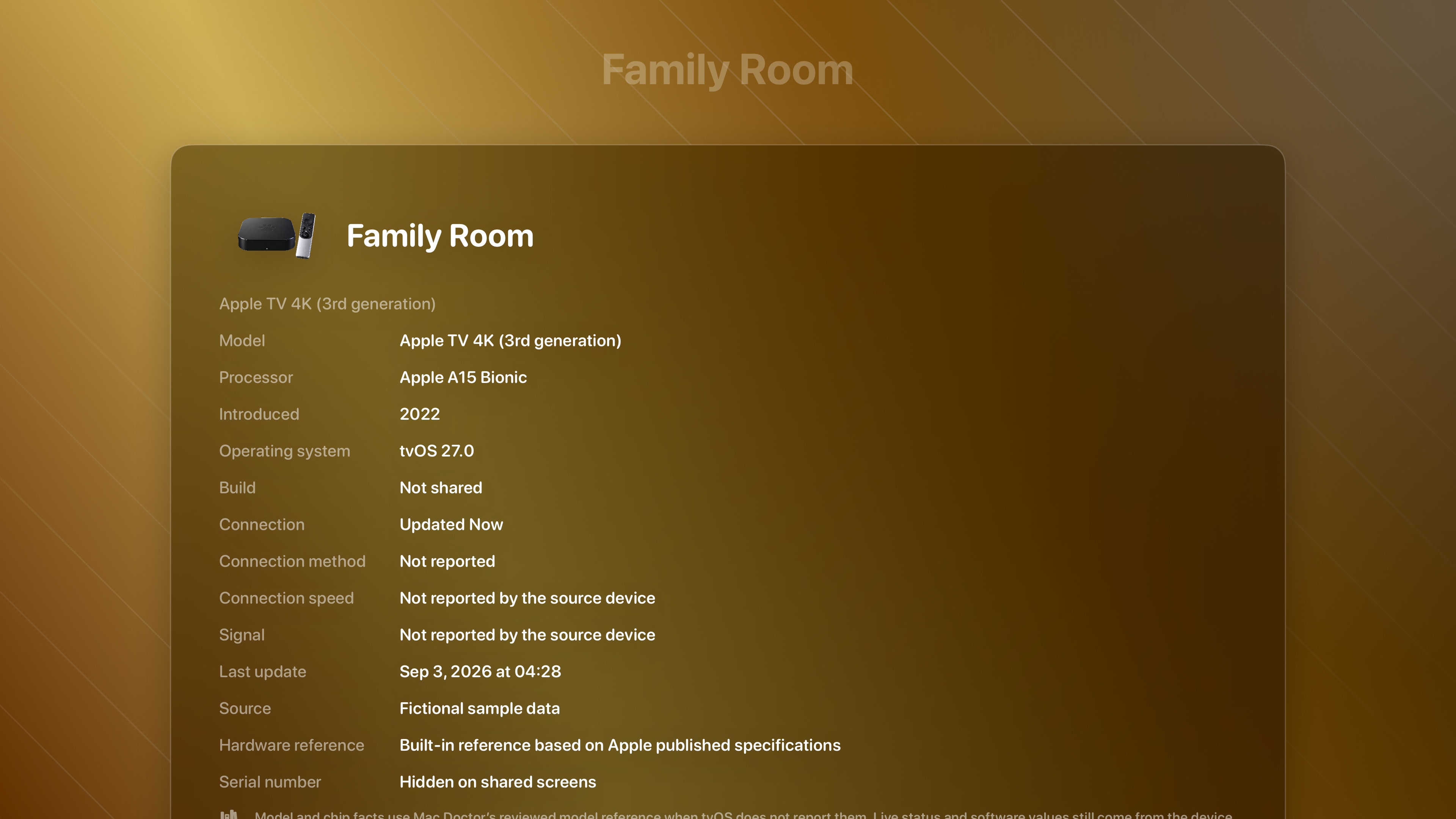
Mac Doctor TV detail for a fictional Family Room Apple TV with original device artwork and reviewed Apple TV 4K, A15 Bionic, and 2022 hardware facts
Verified 4K simulator capture · fictional Family Room fixture, one canonical device name, and reviewed exact-model facts
Mac Doctor TV Apple TV Local Check showing storage, app data, thermal pressure, network path, processors, memory capacity, system version, and uptime
Verified 4K simulator capture · eight readings tvOS makes available to Mac Doctor TV

Apple Home

Accessories and cameras, only after Apple grants access.

The Home screen is permission controlled. It can organize the homes, rooms, accessories, and cameras Apple Home makes available to the current Apple TV account; Sign in with Apple alone does not grant this access.

Flexible live-camera wall

Start or stop all selected cameras, open one camera full screen, or choose 1, 2, 4, 6, 9, 12, or a custom rows-by-columns layout.

Picture in Picture is opt in

Add only the cameras you choose, then move each overlay among eight screen positions while navigating other Mac Doctor TV sections.

Useful accessory controls

Sort by room, type, reachability, or name. Supported writable services expose their Home labels plus power, brightness, hue, and saturation controls; unreachable accessories say so, and battery appears only when HomeKit reports it.

Learn & Play

Fast enough for game night. Useful enough to remember.

Choose players, characters, round count, difficulty, game mode, and categories in sequence. Between rounds the group can pick a different game; the final round ends with a three-place podium, honorable mentions, and a winner celebration.

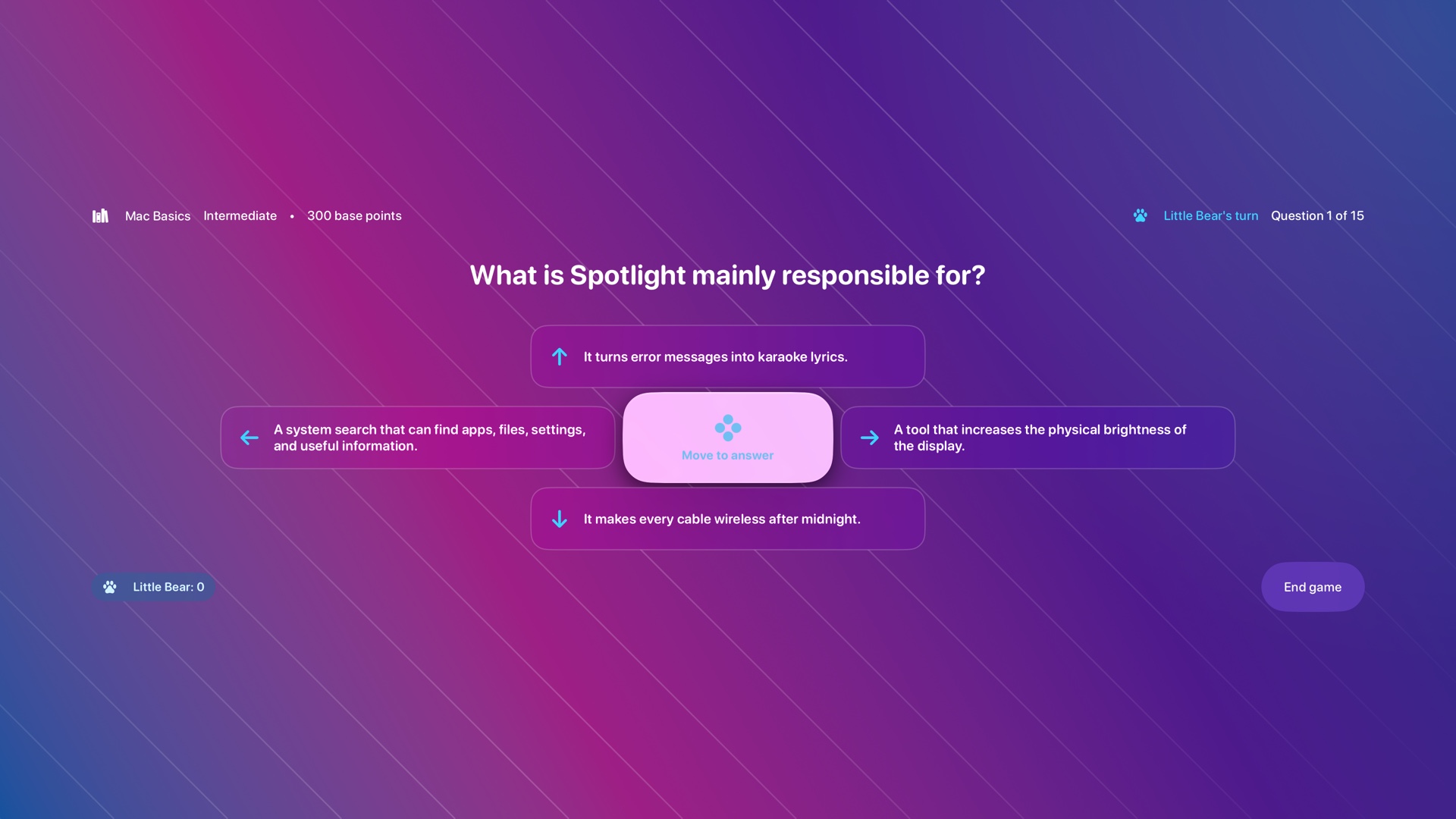
Real Mac Doctor TV Fast Clues directional question with four private answer directions
Fast CluesSwipe or press a direction to answer privately; results reveal after every player responds or 60 seconds pass.

Care Board

Choose a category and point value from a family-friendly board, then learn why the answer matters.

Fast Clues

Everyone answers at the same time. Correct responses rank by speed, and the explanation remains until the group moves on.

Repair Relay

Take turns diagnosing realistic maintenance, firmware, storage, heat, backup, software, and safety situations.

Signal Hunt

Race through Wi-Fi, Bluetooth, DNS, latency, bandwidth, Ethernet, mesh, and troubleshooting challenges.

1,000-question library

Ten categories and four difficulty levels cover device care, storage, hardware, networking, privacy, security, and practical Apple-device knowledge.

Up to 5 named players

Build a local family roster with guests or Sign in with Apple. Game Center remains the current Apple TV player, not five simultaneous Apple IDs.

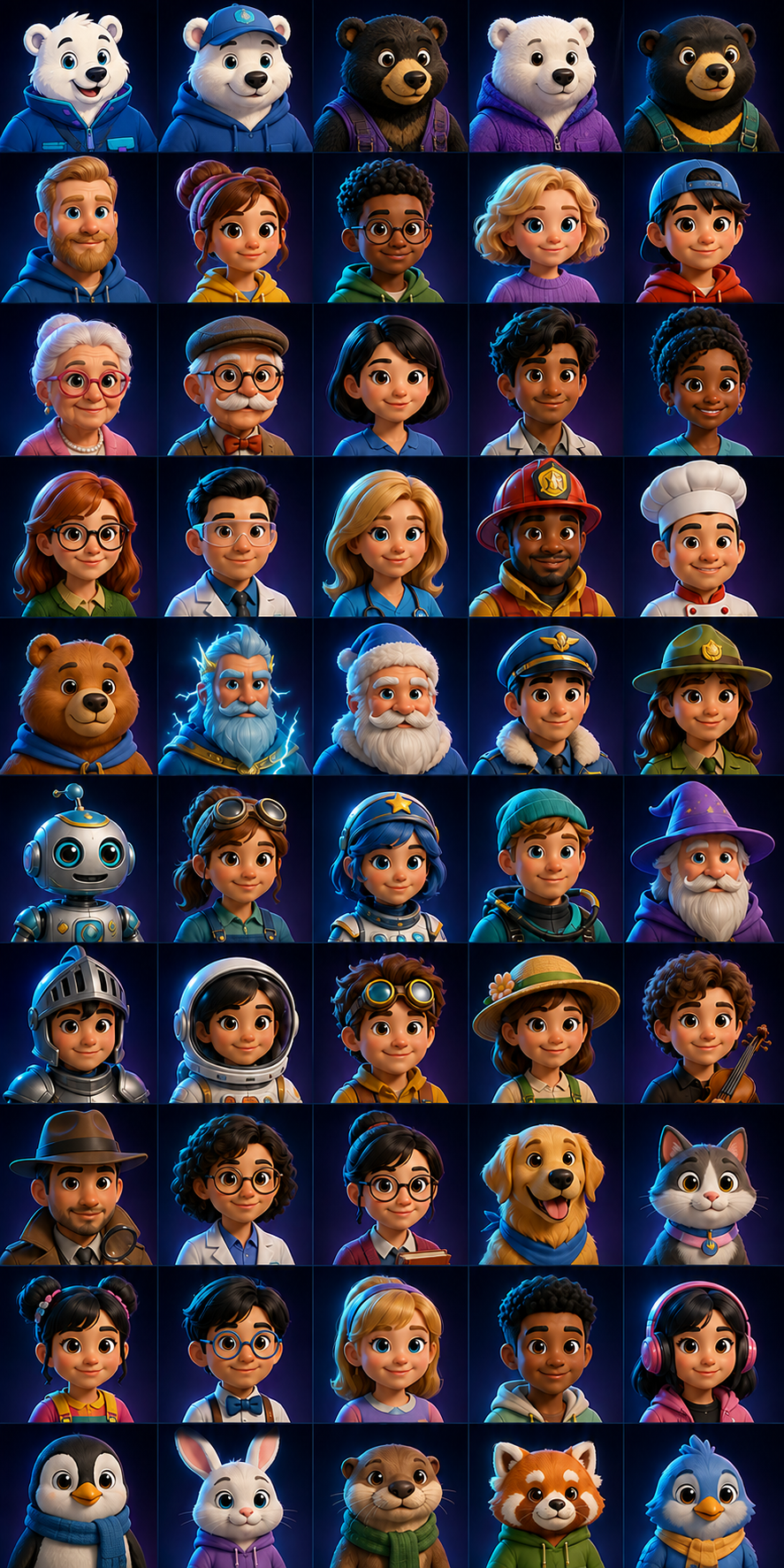
100 original choices · Little Bear plus ten more Mac Doctor bears and a wide range of everyday people are ready from the start; 40 fantasy and special characters unlock as players master unique questions

Care guidance

Learn what needs attention—then act on the device itself.

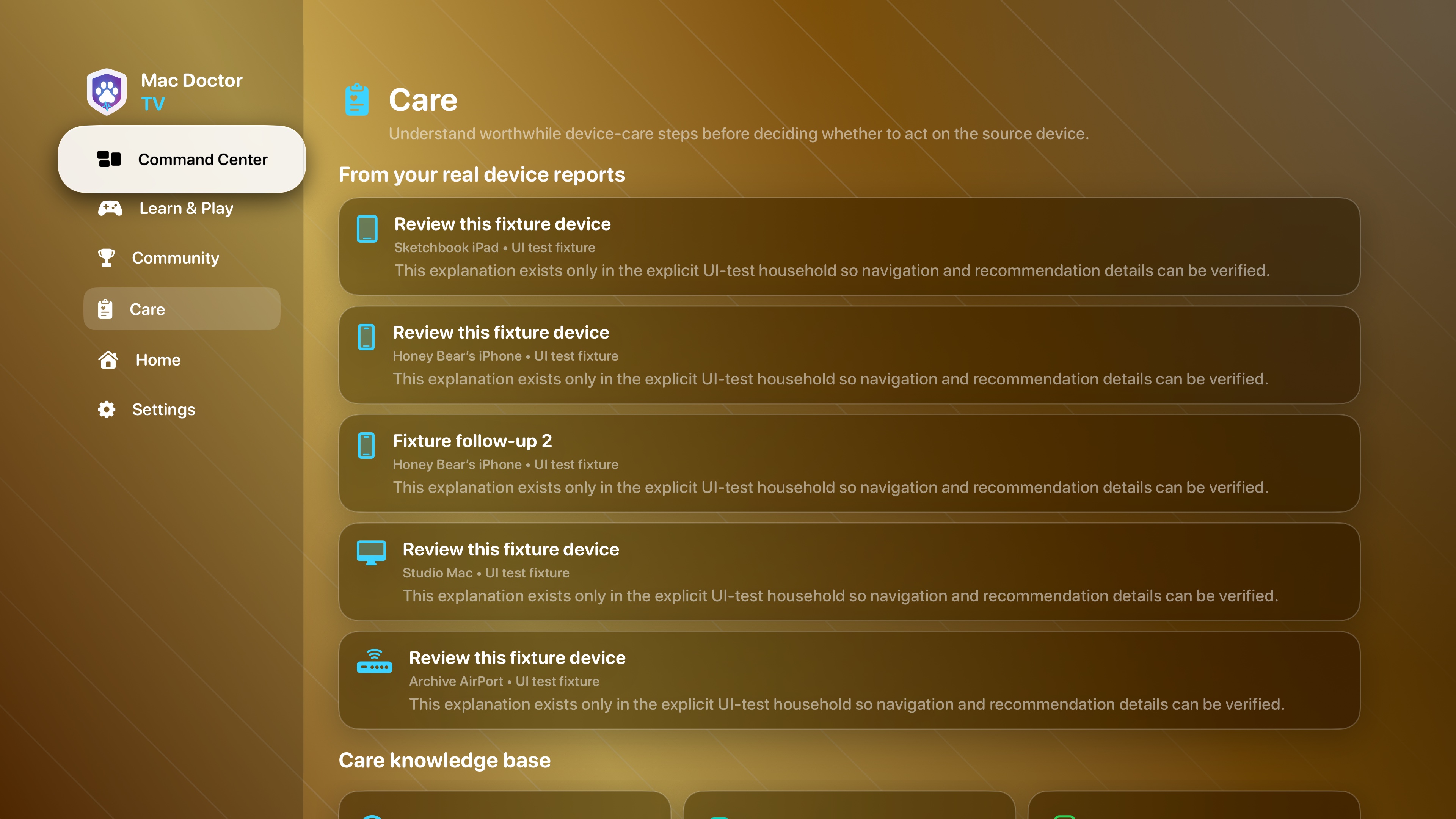
Care turns supported device reports into readable follow-ups and pairs them with a practical knowledge base. Apple TV remains a shared explanation surface: it does not silently clean, reconfigure, or remotely control another device.

Mac Doctor TV Care screen showing synthetic device follow-ups and the Care knowledge base
Verified 4K simulator capture · explicitly labeled fictional UI-test household

Game Center & Community

Progress that tells you what you learned.

Learn from 1,000 unique questions while tracking per-mode personal bests and five mastery rewards through 200 unique correct answers. Four leaderboards and five achievements are configured in App Store Connect, while component submission and Sandbox verification remain open; they are not publicly available.

Four distinct score paths

Care Board, Fast Clues, Repair Relay, and Signal Hunt each keep their own personal best, selector, icon, and leaderboard route. Physical review has returned Friends and Global results for all four games, while the chosen game and scope remain selected in Community.

Five meaningful rewards

First Lesson and four mastery achievements reward unique correct answers through 200. Apple’s First Lesson banner has appeared during a real round; the four mastery thresholds still need live acceptance checks.

Current boundary

The newest installed development build separates completed report calls from Apple’s latest-round readback and offers one identity-bound, same-session retry when a report is incomplete. Simulator testing proves that a second failure removes Retry, preserves the local round, and returns focus safely. A genuine latest-build readback, an organic incomplete-report retry, real account switching, repeated Care Board and Repair Relay reporting, physical multiplayer, and App Review submission remain pre-release work.

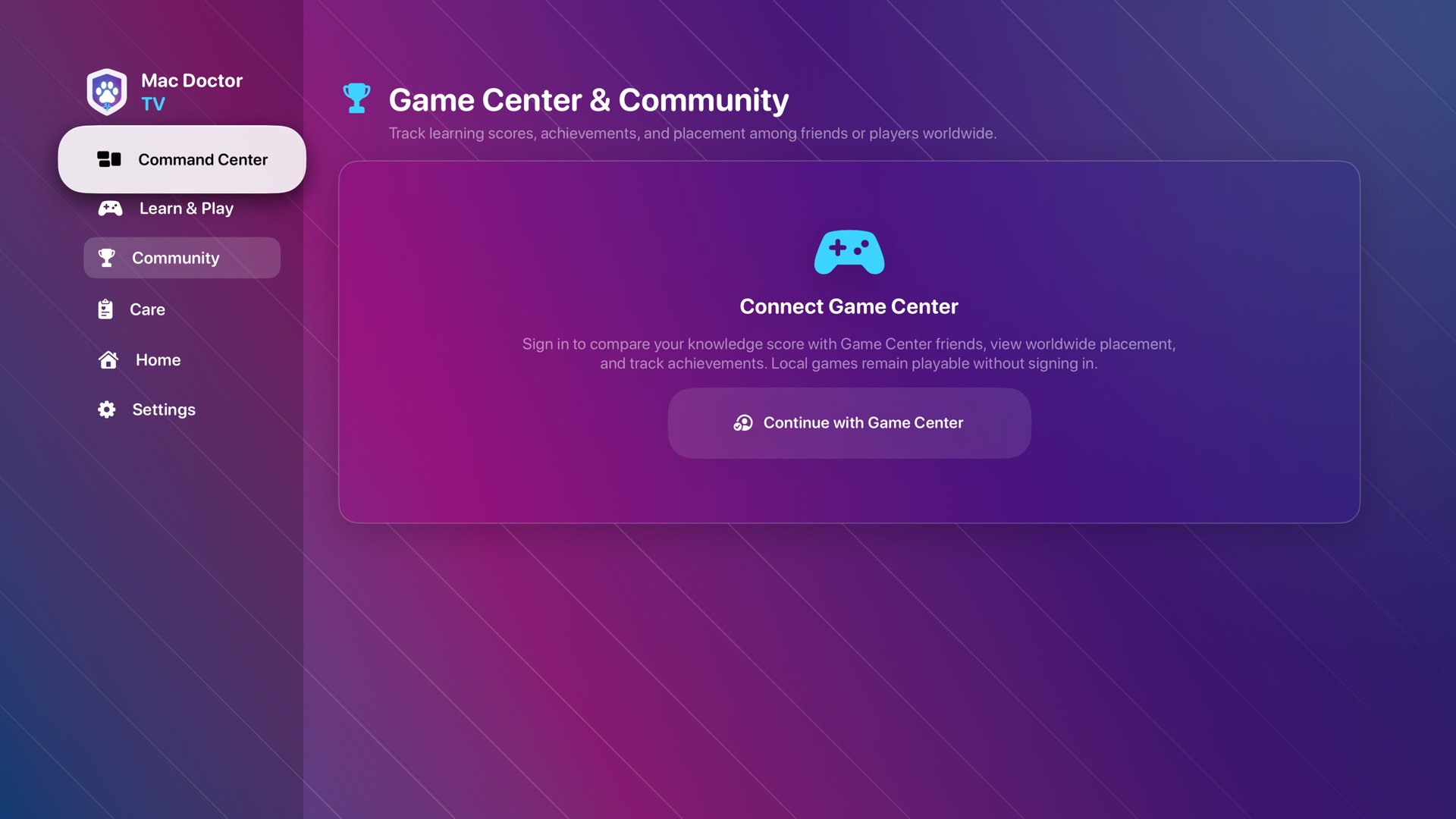
Real Mac Doctor TV Game Center and Community sign-in screen
Community without a required loginConnect Game Center for achievements and placement, or keep playing locally.

Readable from the couch

Appearance, type, and sound built for a television.

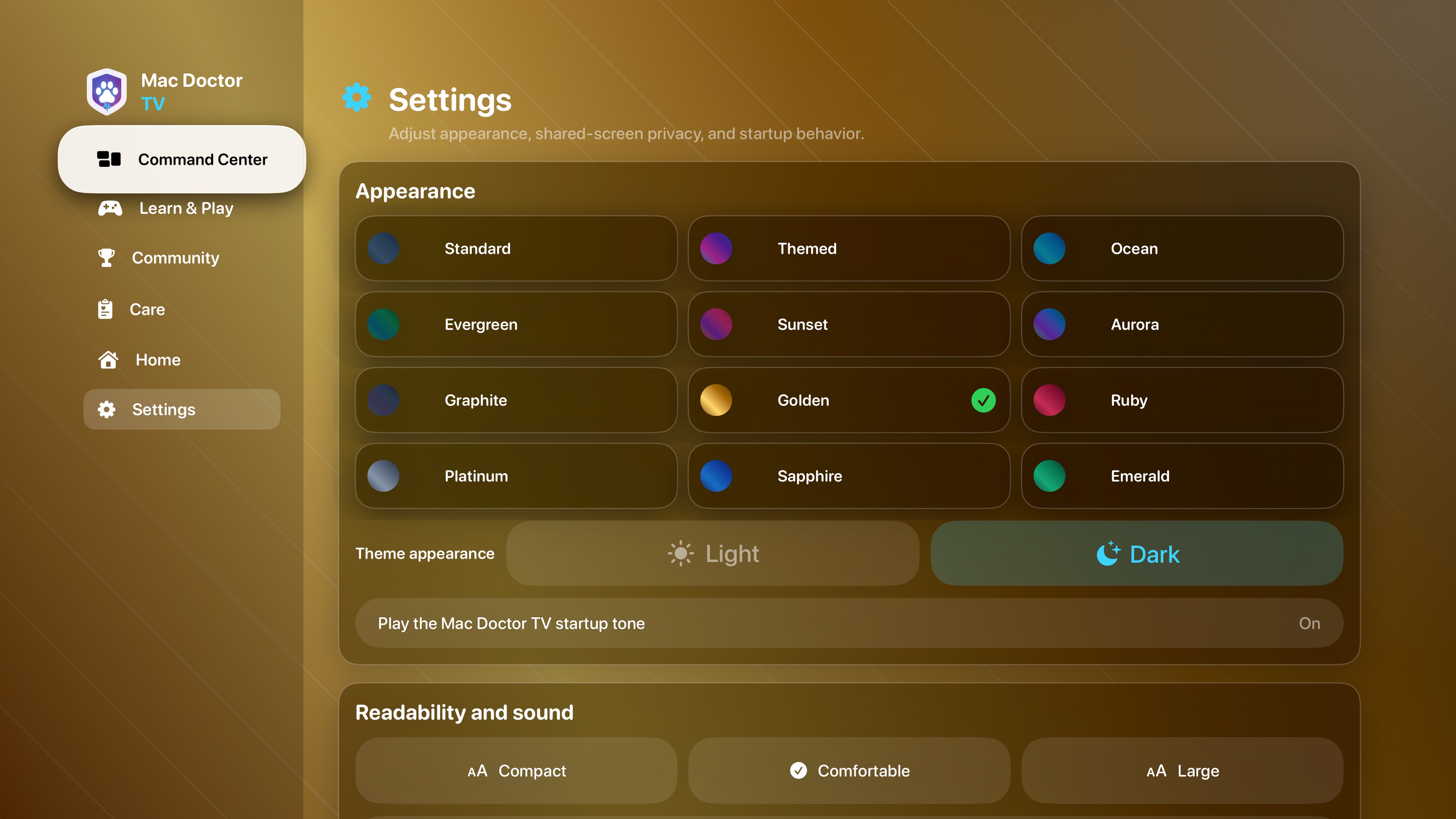
Choose thirteen familiar Mac Doctor themes—including Golden and the new polished Amethyst—then set compact, comfortable, or large type. Original background music stays quieter than questions and interface cues.

Verified Mac Doctor TV Settings screen showing the theme selector, Golden Dark, text size, and original music controls
Verified 4K simulator capture · theme, readability, and sound controls
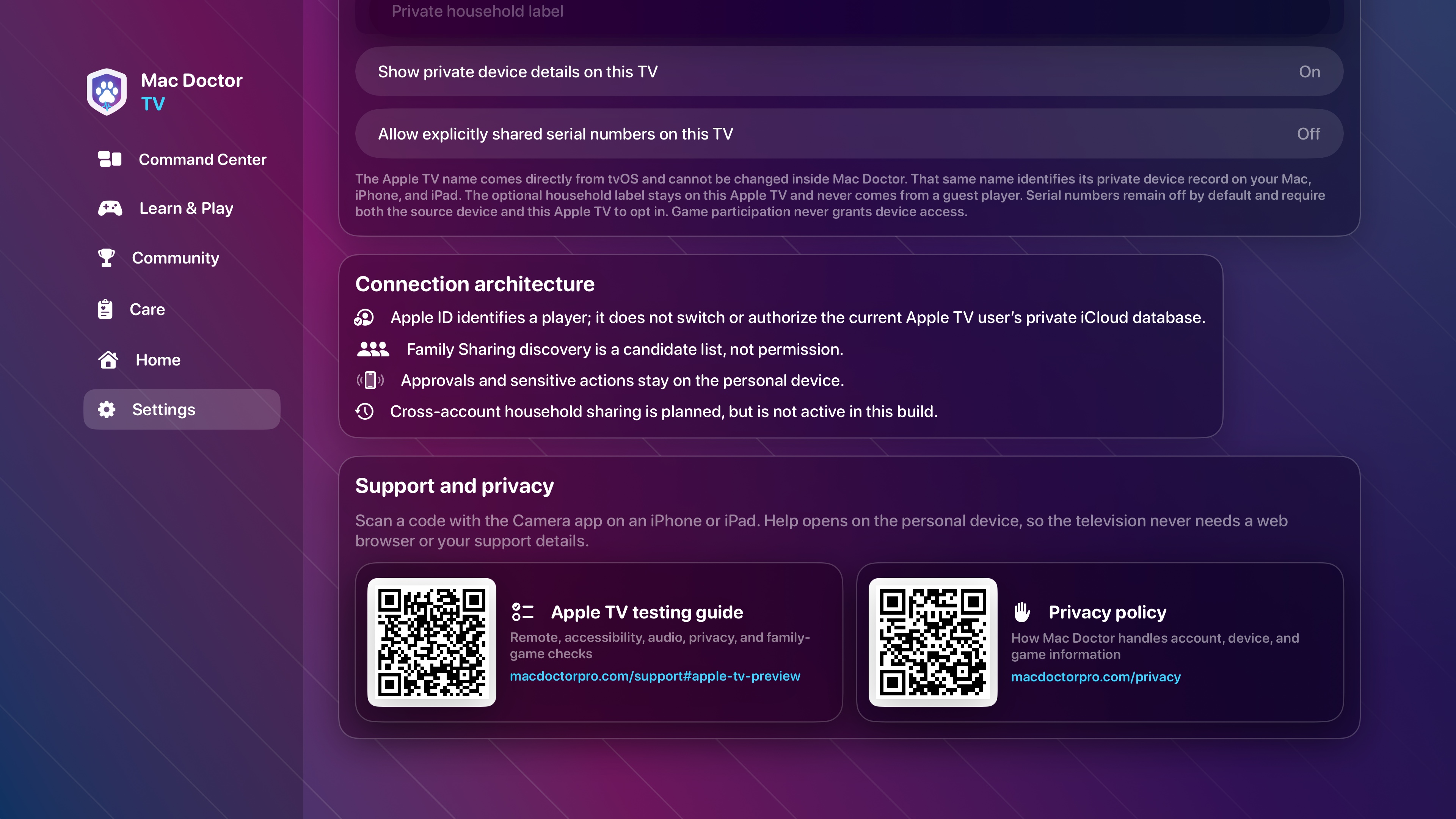
Mac Doctor TV Settings showing scannable Apple TV testing guide and privacy policy cards with public web addresses
Verified 4K simulator capture · both support cards reached with Siri Remote focus traversal

Help test the living-room experience

Use the Apple TV testing guide.

Mac Doctor TV is still a private development preview. Review the Siri Remote, accessibility, audio, privacy, and family-game checklist before sending feedback.

Open the TV testing guide